

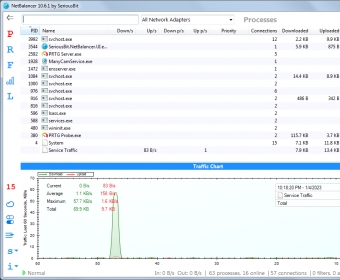
NetBalancer is a powerful, comprehensive and feature-rich application that allows you to manage your bandwidth consumption and all your traffic in a thorough and accurate manner. It doesn't only let you monitor the traffic and see all available connections, but it also lets you control this aspect by setting limits, rules, and filters to every processes, network adapters and PC groups involved.
NetBalancer comes with many remarkable features, options and built-in tools. For example, it integrates effectively with your Windows operating system by displaying various traffic data in either the system taskbar, as an embedded toolbar, or in a customizable widget that can be moved around anywhere on your screen and also have its transparency tweaked to your liking. Anyway, as I've already mentioned, NetBalancer offers much more than just monitoring functions. It also lets you increase or lower the network priority of various processes to optimize your real-time traffic to your liking. By tweaking these priorities and also by applying custom network filters and rules you will be able to fully control every aspect of the traffic in your home or office network.
Though it's very powerful and feature-rich, NetBalancer is also pretty simple-to-use. It comes with an intuitive interface and it allows controlling every little aspect of a network from one single web control panel. The real-time display of the transfer speeds as well as the automatic traffic optimization also help a lot. more






Comments